
How to file rental income tax on iTax, step by step
A simple, annotated walkthrough for landlords and agencies on how to file Monthly Rental Income tax on KRA iTax, pay it, and avoid penalties.

If you earn rent in Kenya, you likely owe Monthly Rental Income (MRI) tax to the Kenya Revenue Authority (KRA). This guide shows you how to file rental income tax on iTax, step by step, with notes on what to check at each screen. It is written for individual landlords and for agencies that file for their clients.
What is Monthly Rental Income tax?
MRI is a tax on the gross rent you collect from residential property. Gross rent means the full amount tenants pay you, before you take out any costs.
Key points to know:
- Rate: 7.5% of gross rent.
- Who pays: Resident landlords (people and companies) whose residential rent is more than KES 288,000 and not more than KES 15 million in a year.
- No expenses: You cannot deduct repairs, loan interest or agent fees. MRI is a "final tax", meaning you do not declare this rent again in your annual return.
- Deadline: File and pay by the 20th of the month after you collect the rent.
If your rent is above the upper limit, or the property is commercial, different rules apply. Speak to a tax adviser in that case.
A quick example
As of 26 Oct 2026, the median bedsitter rent on ISHI Homes across all areas was KES 8,500 a month.
Say you own 10 bedsitters and all are let at that rent:
| Item | Amount |
|---|---|
| Gross rent for the month | KES 85,000 |
| MRI at 7.5% | KES 6,375 |
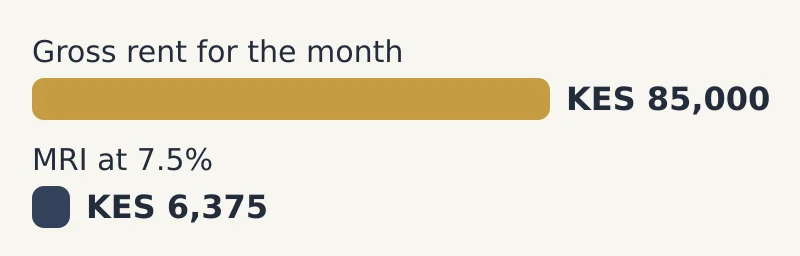
You would file a return for that month and pay KES 6,375 by the 20th of the next month. Only tax the rent you actually received. If a tenant did not pay, do not include that rent.
What you need before you start
- Your KRA PIN and iTax password.
- The property details, such as the land reference (LR) number and location.
- The rent received for the month, per unit or per tenant.
- Tenant PINs, if you have them. iTax may ask for tenant details.
- A phone with M-Pesa, or access to your bank, to pay.
Tip: Keep a simple rent record for every month. It makes filing take minutes and protects you if KRA asks questions.
Step 1: Log in to iTax
Go to the KRA iTax portal (itax.kra.go.ke). Enter your PIN, then your password and the security check.
Note: If you forgot your password, use the reset option. KRA sends the reset link to the email on your PIN record, so make sure that email is still yours.
Step 2: Add the rental income obligation
You can only file MRI if your PIN has the right tax obligation. An "obligation" is a tax type linked to your PIN.
- Go to Registration and choose Amend PIN Details.
- Go to the obligations section and tick Income Tax - Rent Income (MRI).
- Fill in the property details asked for and submit.
Note: You do this once. Next time, skip straight to Step 3. If you already see MRI listed under your obligations, you are set.
Step 3: Open the MRI return
- Go to Returns and choose File Return.
- Under tax obligation, select Income Tax - Rent Income (MRI).
- Click Next.
Note: The MRI return is filled in online. You do not usually need to download an Excel form, unlike some other returns.
Step 4: Pick the period
Choose the month you are filing for. iTax normally fills in the start and end dates for you.
Note: File one return for each month. If you missed months, file each one separately, starting with the oldest.
Step 5: Enter rent details
Add each property or tenant and the rent you received for that month. iTax adds up the gross rent and works out the 7.5% tax.
Check before you continue:
- The total matches your rent record.
- You entered rent received, not rent that is owed.
- You did not subtract any expenses.
Step 6: Submit and save your receipt
Tick the declaration and click Submit. iTax shows an acknowledgement receipt. Download it and save it. It is also sent to your email.
Note: Filing the return is not the same as paying. You must still pay the tax in the next step.
Step 7: Generate a payment slip
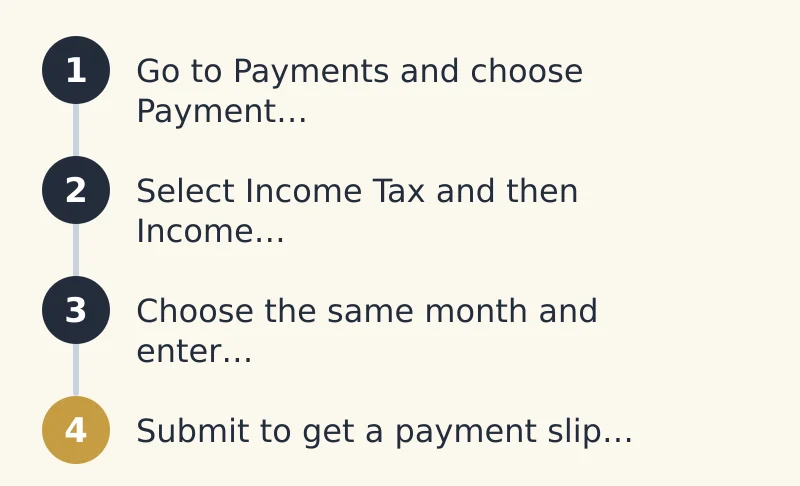
- Go to Payments and choose Payment Registration.
- Select Income Tax and then Income Tax - Rent Income (MRI).
- Choose the same month and enter the tax due.
- Submit to get a payment slip with a Payment Reference Number (PRN).
Step 8: Pay KRA
You can pay through a partner bank or by M-Pesa:
- M-Pesa: Use the KRA Paybill number, with the PRN as the account number.
- Bank: Take the payment slip to a KRA partner bank or pay through online banking.
Keep the M-Pesa message or bank receipt with your filing receipt.
What about months with no rent?
If you have the MRI obligation but collected no rent in a month, you may still need to file a nil return for that month. Check your iTax ledger to confirm what KRA expects from you.
Penalties for late filing or payment
Late filing and late payment attract penalties and interest. These add up quickly over many months. The safest habit is to file and pay well before the 20th, every month.
Tips for agencies filing for landlords
- Get written permission from each landlord to file for them.
- Keep a separate rent record per landlord and per property.
- Send each landlord their filing receipt and payment proof every month.
- Set a reminder a few days before the 20th.
Common mistakes to avoid
- Deducting repairs or agent fees from rent. MRI is on gross rent.
- Filing the return but forgetting to pay.
- Paying with the wrong PRN, so the payment does not match the return.
- Leaving old missed months unfiled.
See ISHI in action
ISHI property management software keeps a clean record of rent received for every unit and tenant. That makes your monthly MRI figure easy to find and easy to check. Book a free demo at www.ishi.digital/contact, call 0116888777 or email hello@ishi.digital.
Questions people ask
What is the rental income tax rate in Kenya?
Monthly Rental Income tax is charged at 7.5% of the gross rent you receive from residential property. You cannot deduct expenses.
When is rental income tax due on iTax?
You must file and pay by the 20th of the month after the month you received the rent.
Who has to pay Monthly Rental Income tax?
Resident landlords whose residential rent is more than KES 288,000 and not more than KES 15 million a year. Those above this range follow the normal income tax rules.
Can I deduct repair costs from my rental income?
No. MRI is charged on gross rent, so repairs, loan interest and agent fees are not deducted.
How do I pay rental income tax by M-Pesa?
Generate a payment slip on iTax to get a PRN, then pay through the KRA M-Pesa Paybill using the PRN as the account number.
Do I need to file if I collected no rent in a month?
If you have the MRI obligation, you may need to file a nil return for that month. Check your iTax ledger to be sure.
Keep reading
Monthly rental income tax in Kenya: who pays, how much and how to file
A plain guide to monthly rental income tax in Kenya for landlords and agencies: who it covers, the current rate, worked examples using real rents, and how to file and pay on iTax.
25 October 2026 · 6 min read
Paybill vs till vs bank account for collecting rent: which is best?
Paybill, till or bank account? We compare costs, reconciliation effort and tenant trust so landlords and agencies can pick the right way to collect rent.
26 October 2026 · 6 min read
Rent reminder messages that get paid: SMS and WhatsApp templates
Copy-and-paste rent reminder templates in English and Kiswahili for SMS and WhatsApp, from a friendly early nudge to a final arrears notice, plus a simple sending schedule.
25 October 2026 · 7 min read